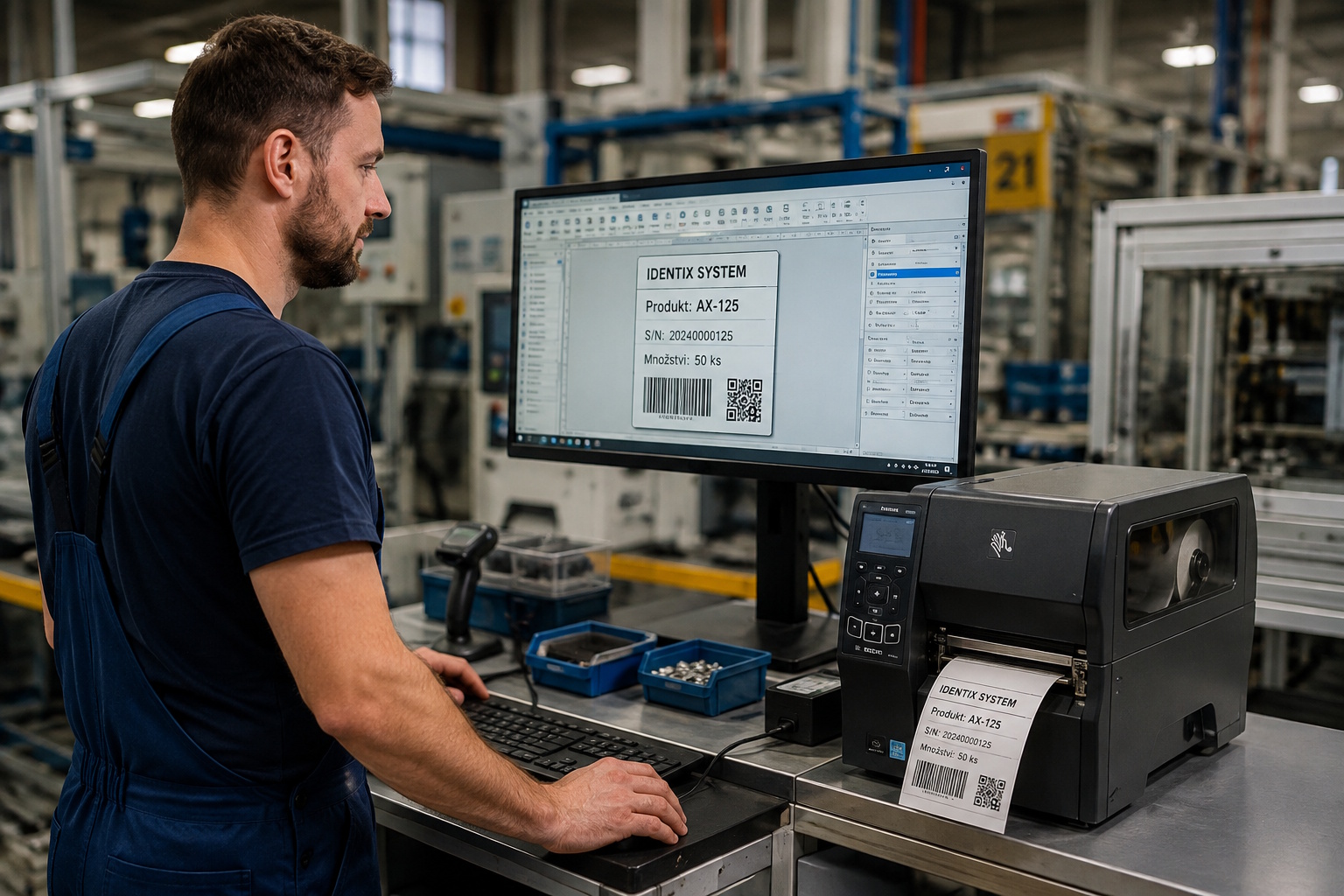
Looking for an alternative to NiceLabel for label design and printing? LabelyPrint offers a simple and fast way to create labels and barcodes without having to pay a recurring subscription.
LabelyPrint is a modern printing program for Windows that lets you design labels using a simple editor, connect data from Excel or a database, and then print to standard office printers as well as thermal-transfer label printers.
The main difference is simple: you buy LabelyPrint once and use it without monthly or annual fees for the software itself.
An easy-to-use alternative to NiceLabel
NiceLabel is well-known software for professional label printing. For some companies, however, its range of features and licensing model may be unnecessarily complicated.
LabelyPrint takes a simpler approach.
The program is designed so that users can quickly find their way around it. Create a label by dragging individual elements onto the workspace. Add text, an image, a barcode or a 2D code, set their size and position, and start printing.
You don't need to be a graphic designer or a printing systems specialist.
The goal of LabelyPrint is to make label design fast, clear, and accessible to everyone.
Without a subscription
One of the main advantages of LabelyPrint is its licensing model.
LabelyPrint is not subscription-based.
You purchase a perpetual license for one computer and can use the software long-term. With this license, you can use an unlimited number of printers.
The license also includes 1 year of free updates.
After the first year, the program does not stop working. If you don't want to continue with updates, you can keep using your existing version.
This gives your company better control over software costs, without having to pay every year simply for the right to continue using the program.
Simple label design
LabelyPrint is designed with simplicity as a priority.
Simply drag and drop elements onto the label. A grid and object snapping help you quickly align individual parts of the label.
You can add text, formatted text, images, barcodes, 2D codes, or basic graphic elements to the label.
Objects can be freely moved, resized, and rotated.
This makes it possible to create a simple warehouse label as well as a more complex production or logistics label.
Barcodes without complicated setup
LabelyPrint supports 1D barcodes and 2D codes.
You can use EAN-13, EAN-8, UPC, Code 128, Code 39, ITF, QR Code, DataMatrix, PDF417, or Aztec, for example.
GS1-128 and GS1 DataMatrix are also supported, including automatic FNC1 processing.
You don't need to deal with check digit calculations or complicated encoding. Enter the data and LabelyPrint takes care of creating the correct barcode.
If needed, you can also display human-readable text below the code.
Printing labels from Excel or an SQL database
Need to print dozens, hundreds, or thousands of different labels?
You don't have to enter the data manually.
LabelyPrint can work with data from Excel, CSV files, or SQL databases. Simply link individual fields in the data source to fields on the label.
For example, you may have a list of products in Excel with a name, EAN code, and price. You create one template from these data, and LabelyPrint can use it to print a label for each product.
You can also select only specific rows or apply a filter before printing.
Works with Zebra, TSC, Honeywell, and standard printers
LabelyPrint is not limited to a single printer brand.
You can print to thermal-transfer label printers such as Zebra, TSC, or Honeywell, as well as standard office printers in Windows.
If you don't currently have a printer, you can also easily create the label as a PDF.
This makes LabelyPrint suitable for small offices as well as warehouses and production facilities.
One license, unlimited printers
With a standard license, the software is tied to one computer, but there is no limit on the number of connected printers.
You can therefore have, for example, an office printer, a Zebra printer, and other printers connected to the same computer as needed.
For companies that need to use LabelyPrint on multiple computers, an Enterprise edition is available.
A print station for everyday operations
The person designing a label does not have to be the person printing it.
LabelyPrint includes a separate print station designed, for example, for warehouse or production workers.
The operator selects a prepared template, enters the required data or scans it with a barcode scanner, and prints the label.
They don't need to know how to use the editor or deal with design settings.
Each template can also remember its preferred printer, so the correct printer is automatically selected for repeat printing.
No cloud required, with offline activation
LabelyPrint is also suitable for companies that want to keep their software and data under their own control.
A cloud service is not required for normal operation. The license supports secure offline activation and is linked to a specific computer.
When replacing a computer, the license can be transferred to new hardware.
Who is LabelyPrint suitable for?
LabelyPrint is designed for anyone who needs to create and print labels simply and efficiently.
It can be a suitable solution for e-shops, warehouses, manufacturing companies, logistics, shipping, distribution, and smaller offices.
It is suitable for printing shipping labels, warehouse labels, production labels, price tags, identification labels, and labels with barcodes and 2D codes.
If you currently use NiceLabel or are just looking for a label printing program, you can try LabelyPrint and see for yourself whether its simplicity works for you.
Why choose LabelyPrint?
Simple label design
Create a label quickly using an intuitive editor.
Professional barcodes
From standard EAN and Code 128 to QR Code, DataMatrix, and GS1.
Printing to different printers
Zebra, TSC, Honeywell, office printers, and more.
Work with your own data
Excel, CSV, SQL databases, and serial numbers.
Perpetual license
Buy the software once. No recurring subscription.
Unlimited printers
With a license for one computer, you can use any number of printers.
14 days free
You can try LabelyPrint without registration and see whether it works for you.
Looking for a NiceLabel alternative?
If you want to professionally design and print labels but are looking for a solution without a subscription, try LabelyPrint.
Design your own label, connect your data, select a printer, and print it.
LabelyPrint is designed for efficient label and barcode design without a subscription.
Try LabelyPrint free for 14 days. No registration. No commitment.