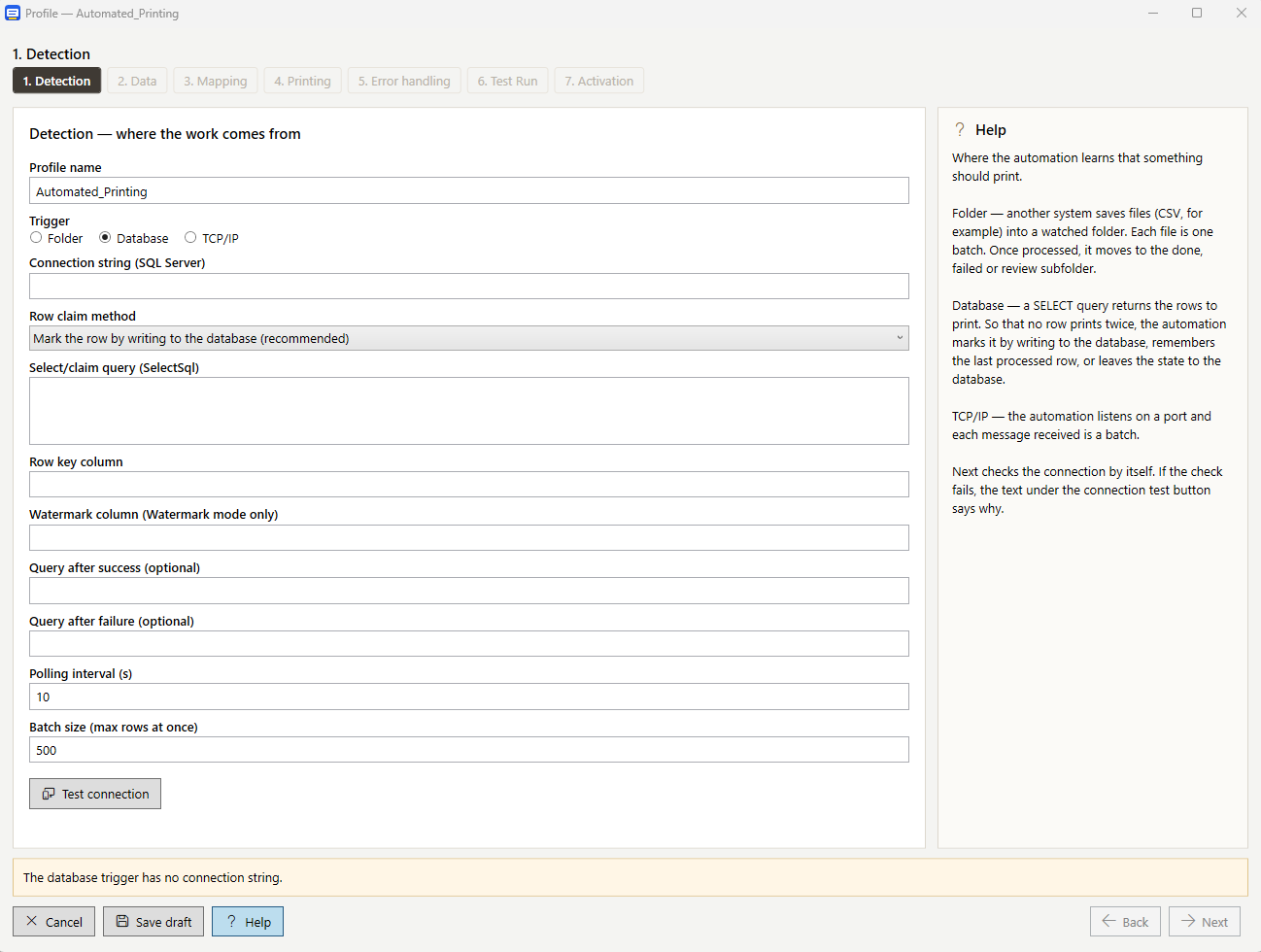
Automate your label printing and let LabelyPrint do the work for you. With the automated printing feature, LabelyPrint can print labels independently, without operator intervention or the need to manually start individual print jobs.
The solution uses a dedicated Windows printing service that can be installed on a server or a regular PC. The service starts automatically with Windows and runs even when no user is logged in. Once the rules have been configured, label printing can run continuously in the background according to your operational requirements.
Three Ways to Trigger Automatic Printing
LabelyPrint can trigger printing based on data from different sources. You can choose the method that best suits your workflow and the systems you use.
- Watched folder: The service monitors a designated folder and automatically processes incoming files to start printing.
- SQL Server database: Printing is triggered by data in a database, enabling integration with your business systems.
- TCP/IP communication: Printing can be triggered by a message from a production system or another business application that needs to print labels automatically.
Your Data Determines What Gets Printed
Automated printing adapts to your requirements. The incoming data can determine not only the label content, but also the label template, printer, and number of copies. Row filters and counters are also available to process print jobs according to your configured rules.
This makes it possible to automate even more complex printing workflows in which data, label types, or target printers change. LabelyPrint can become part of your existing workflow without requiring manual intervention for every print job.
Print Monitoring and Duplicate Protection
Automation must be both fast and reliable. That's why the solution includes a print log that allows you to track processed print jobs and reprint labels from the history when needed. The system also provides protection against duplicate printing.
Before deploying automation, you can use a setup wizard with a dry run. This allows you to verify your configured rules and see what would be printed before actual printing begins.
Configuration Without Editing Config Files
Automated printing is configured through a dedicated application. You don't need to manually edit configuration files to set up individual rules. You can configure the system to meet your operational requirements and verify the settings using the test wizard before putting them into production.
For Warehouses, Manufacturing, and Shipping Operations
Fully automated printing is particularly useful for manufacturers, logistics centers, warehouses, and e-commerce businesses that need to print labels based on data from other systems. Manual print initiation is eliminated, and the entire process can be integrated directly into business applications and operational workflows.
Automated printing is included in the LabelyPrint Enterprise edition.
Want to learn more about automation and other LabelyPrint features? Contact us for further information.